
Picture this: You’ve spent eighteen months researching, writing, and perfecting your UCL dissertation. You hit “submit” with relief washing over you, only to receive an email three days later. “Your submission does not meet formatting requirements. Please revise and resubmit.” Suddenly, your graduation timeline is at risk, your supervisor is frustrated, and you’re scrambling to figure out what went wrong with margins, page numbers, or reference styles.
This nightmare scenario plays out for dozens of UCL students every year—not because their research was poor, but because they didn’t follow UCL dissertation formatting guidelines correctly. The truth? UCL has specific, sometimes unforgiving requirements that differ from general academic standards and even vary between departments. A perfectly researched dissertation can face delays or penalties purely due to formatting oversights.
But here’s the good news: you’re reading this before submission day. This complete, actionable checklist will walk you through every formatting requirement UCL expects in 2025, from the moment you open your blank document to the second you click that final upload button. Whether you’re in Arts & Humanities wrestling with footnotes, STEM dealing with equation formatting, or Social Sciences managing data tables, this guide has you covered.
What makes UCL formatting unique isn’t just the official guidelines—it’s the departmental variations, the strict submission portals, and the 2025 updates around accessibility and AI disclosure that many students don’t discover until it’s too late. Let’s make sure you’re not one of them.
Understanding UCL’s Dissertation Requirements
The first challenge UCL students face is actually finding the authoritative formatting requirements. Unlike some universities with a single, clear handbook, UCL’s guidelines are scattered across multiple sources—and that’s intentional. Your starting points should be the UCL Graduate School website, your specific departmental handbook (often buried in Moodle), and any programme-specific guidelines your director has distributed.
Here’s what catches students off guard: UCL dissertation formatting guidelines genuinely differ between faculties. If you’re in Arts & Humanities, you might be working with 4cm left margins and footnote-heavy Chicago style. Your friend in Engineering? They’re likely using 2.5cm margins all around with IEEE citations. Social Sciences students often fall somewhere in between with Harvard or APA formatting. According to UCL’s Academic Manual, these variations acknowledge disciplinary conventions—but they place the burden on you to identify your specific requirements.
That said, some elements remain constant across all UCL dissertations: A4 paper size, specific preliminary page orders, word count declarations, and academic integrity statements. Your supervisor and programme director are your best resources for clarifying grey areas. Schedule a formatting check-in before you start writing—it’s far easier to set up your document correctly from day one than to reformat 20,000 words later.
Common Formatting Mistakes UCL Students Make
Let’s talk about the formatting errors that cost students the most time and stress. After speaking with UCL dissertation coordinators and reviewing submission feedback, these mistakes top the list:
Inconsistent heading styles and numbering: Manually typing “1.1” and “1.2” seems harmless until you add a section and have to renumber everything. Then your Table of Contents doesn’t match your actual chapters.
Incorrect margin specifications: The binding edge (usually left) requires extra space—typically 4cm versus 2cm on other sides. Students frequently use uniform margins and end up with text disappearing into the binding.
Reference list chaos: Mixing Harvard and APA styles, forgetting hanging indents, inconsistent capitalization in titles. Reference managers solve this, yet many students still format manually.
Missing preliminary pages: Forgetting the Impact Statement (required for some programmes) or placing acknowledgements after the Table of Contents instead of before.
Static Table of Contents: Creating a manual contents page that doesn’t update when you revise chapters. When examiners notice page numbers are wrong, it signals carelessness.
Figure and table caption inconsistencies: Captions above some tables, below others. Numbering by chapter (Table 3.1) then switching to sequential (Table 12). These details matter more than you’d think.
The pattern here? Most formatting mistakes aren’t about ignorance—they’re about inconsistency and manual processes that break down across 100+ pages. This is exactly why automation tools and proper document setup are game-changers.
How UCL Dissertation Standards Have Evolved in 2025
2025 marks a significant shift at UCL: mandatory electronic-only submissions are now universal across all programmes. Gone are the days of printing multiple bound copies for examiners. While this saves money and trees, it introduces new technical requirements that many students aren’t prepared for.
Your dissertation must now be submitted as PDF/A format—a long-term archival standard that embeds all fonts and ensures your document looks identical on any device decades from now. Standard PDFs won’t cut it. Most Word and LaTeX users don’t realize their default PDF export settings don’t produce PDF/A compliant files. You’ll need to adjust export settings or use validation tools to confirm compliance before submission.
Even more significant are the 2025 accessibility standards. UCL now requires that all dissertations meet basic accessibility criteria: alt text for every image, chart, and diagram; proper heading hierarchy without skipped levels; and screen-reader compatibility. This isn’t just bureaucracy—it’s about inclusive scholarship. Research from the Web Accessibility Initiative shows that accessible documents benefit everyone, not just those with disabilities, by improving navigation and readability.
What does this mean practically? When you insert a graph, you’ll need to add alt text describing what it shows. Your heading styles must follow a logical H1 → H2 → H3 structure. Any color-coded charts need sufficient contrast ratios. These requirements take extra time, so build them into your workflow from the start rather than scrambling at the end.
AI Disclosure and Academic Integrity Statements
Here’s something that didn’t exist in previous years: UCL’s 2025 policy now requires explicit acknowledgment of AI tool usage in dissertations. Whether you used ChatGPT to brainstorm ideas, Grammarly for proofreading, or citation generators for references, you must disclose this in your academic integrity statement.
The formatting structure typically places this disclosure within or immediately after your Declaration of Authorship. UCL provides recommended wording, but the key elements are: which AI tools you used, for what purposes, and to what extent. For example: “I used ChatGPT to generate initial research questions in Chapter 2, which I then significantly developed and refined through my own analysis.” This transparency protects you from accusations of plagiarism while acknowledging the collaborative nature of modern academic work.
This policy reflects broader trends in UK higher education. Universities recognize that AI tools are here to stay—banning them isn’t realistic or productive. Instead, they’re teaching responsible use and citation practices. If you’re wondering how to properly cite AI assistance while avoiding plagiarism concerns, the comprehensive guide on AI citation and plagiarism prevention in thesis writing 2025 breaks down exactly what UCL expects and how to implement it.
Reference Management Technology Adoption
Walk into any UCL library and you’ll notice something: over 90% of dissertation students are using reference managers like Zotero, Mendeley, or EndNote. This isn’t coincidence—it’s necessity. Manual reference formatting for 100+ sources in perfect Harvard or APA style is practically impossible without errors.
These tools integrate directly with Word and LaTeX, automatically generating in-text citations and reference lists that update in real-time. Add a new source? Your bibliography updates instantly. Change from APA to Harvard? One click reformats everything. This isn’t just convenient—it’s essential for maintaining the consistency UCL examiners expect.
But here’s the catch: reference managers only work correctly if you configure them for UCL’s specific requirements. Default Harvard style in Zotero might differ slightly from UCL’s preferred Harvard variant. APA has multiple sub-versions. You need to ensure your chosen tool matches your department’s exact citation style. The detailed breakdown in Reference Manager Comparison for Thesis Students (2025) compares the major options specifically for UK universities, helping you choose the right tool and configure it correctly from day one.
The technology adoption trend will only accelerate. By 2026, UCL may even require machine-readable citations for institutional repository indexing. Getting comfortable with reference managers now future-proofs your dissertation workflow.
The Complete UCL Dissertation Formatting Checklist
Phase 1: Document Setup (Before You Start Writing)
Think of this phase as building the foundation of a house. Get it right now, and everything else falls into place. Rush through setup, and you’ll spend dozens of hours fixing formatting problems later. Trust me—every UCL student who’s had to reformat their entire dissertation at 2am before submission wishes they’d spent this thirty minutes properly at the start.
Page Layout Specifications
Your margins aren’t arbitrary—they’re designed for binding and readability. UCL’s standard requirements are:
Left margin (binding edge): 4cm—this extra space prevents text from disappearing into the binding
Top, bottom, and right margins: 2cm
Paper size: A4 (210mm × 297mm)—no US Letter format
Orientation: Portrait for all pages except oversized tables or figures (which require written justification)
Line spacing: 1.5 or double spacing for body text (check your departmental handbook—STEM fields often prefer 1.5, while humanities may require double)
Here’s a pro tip: Set these margins in your master document before typing a single word. In Microsoft Word, go to Layout → Margins → Custom Margins and enter these specifications. Save this as your dissertation template. In LaTeX, use the geometry package with these exact measurements in your preamble.
Typography Standards
UCL approves specific font families for readability and consistency:
Times New Roman 12pt (traditional, serif)
Arial 11pt (modern, sans-serif)
Calibri 11pt (contemporary, sans-serif)
Pick one and stick with it throughout—mixing fonts screams “unprofessional.” The consistency rule extends to emphasis: use italics for book titles and technical terms, bold sparingly for sub-headings, and avoid underlining entirely (it’s considered outdated in academic writing).
Document Template Setup
This is where automation saves you hundreds of hours. Configure your document for:
Automatic heading numbering: Use Word’s built-in Heading styles (Heading 1, Heading 2, Heading 3) or LaTeX’s section commands. Never, ever manually type “1.1.3”—when you reorganize chapters, those numbers become wrong and you’ll spend hours fixing them.
Page number formats: Preliminary pages (abstract through lists) use lowercase Roman numerals (i, ii, iii). The main body starts with Arabic numerals (1, 2, 3) from Chapter 1. In Word, this requires section breaks and different page number formatting for each section.
Headers and footers: Typically, chapter titles in headers, page numbers in footers. But check your department—some require page numbers in top-right corners instead.
If you’re feeling overwhelmed by Word’s Section Breaks and Style management, you’re not alone. Many UK students are discovering that specialized thesis writing tools for UK Master’s students come pre-configured with these settings, eliminating the technical headaches so you can focus on your research instead of fighting with your word processor.
Phase 2: Preliminary Pages (In Required Order)
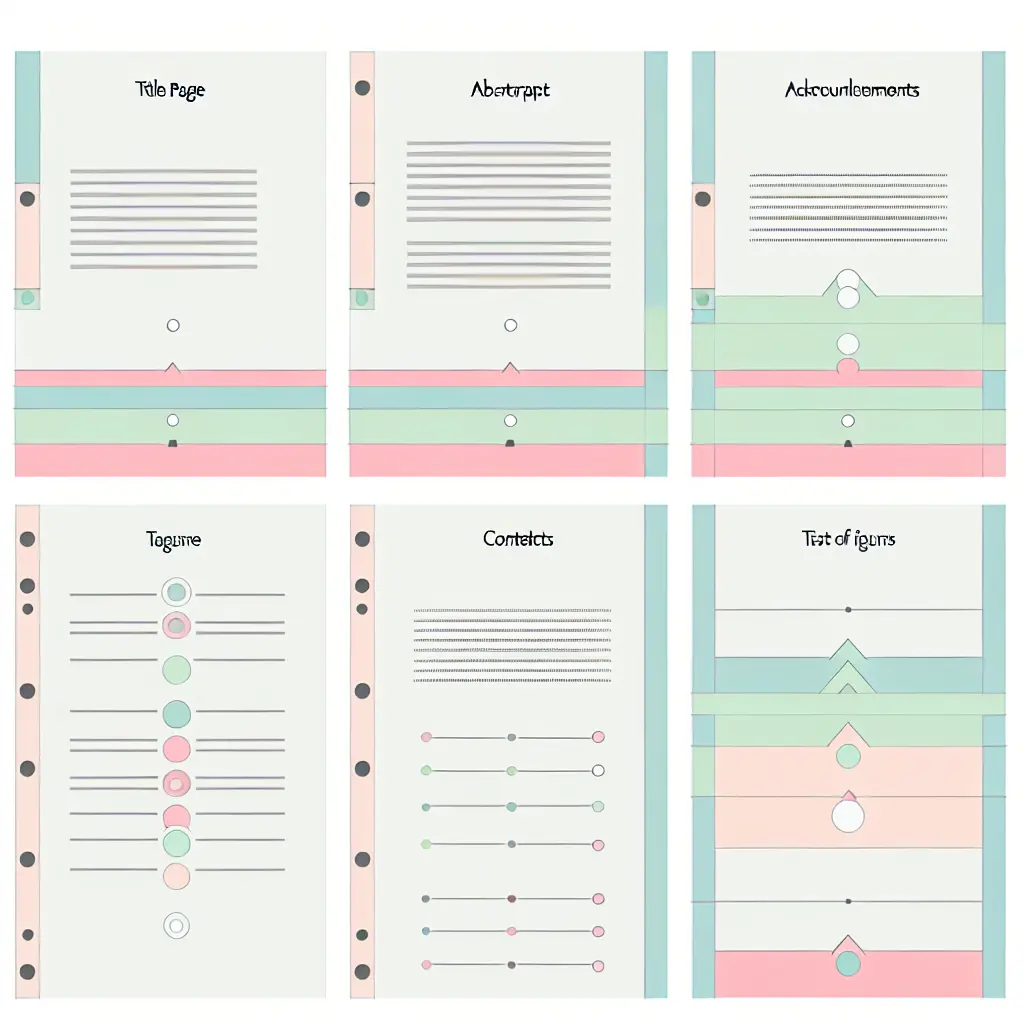
The preliminary pages are your dissertation’s first impression. Examiners may not consciously think “these are formatted correctly,” but they’ll definitely notice if they’re wrong. Here’s the exact order UCL requires, with specific formatting for each:
1. Title Page
Your title page must be centered and include these elements in this order:
Full dissertation title (in Title Case or Sentence case—check department preference)
Your full legal name as registered with UCL
Your degree programme (e.g., “Master of Science in Data Science”)
Your department or institute
Month and year of submission (e.g., “September 2025”)
Word count declaration: “Word Count: 19,847” (excluding preliminary pages, references, and appendices)
Formatting specifics: All text centered, single-spaced within each element, double-spaced between elements. No page number on the title page. Some departments provide official title page templates—use them if available.
2. Abstract
Your abstract is possibly the most-read section of your dissertation—and it gets exactly one page, maximum 300 words (some departments allow 250-300, so verify). This standalone summary must include your research question, methodology, key findings, and implications.
Format it as a single paragraph (or maximum two paragraphs) with standard spacing. At the bottom, include 4-6 keywords separated by semicolons: “Keywords: machine learning; healthcare outcomes; predictive modeling; NHS data; patient safety; algorithmic bias”
3. Impact Statement (if required)
Not all UCL programmes require an Impact Statement, but many do—especially in STEM and Social Sciences. This separate section (1-2 pages) explains the potential real-world applications and societal benefits of your research. Format it as a distinct chapter with its own heading, following the same typography and spacing as your main body text.
4. Declaration of Authorship / Academic Integrity Statement
UCL provides specific wording for this declaration, typically something like: “I, [Your Name], confirm that the work presented in this thesis is my own. Where information has been derived from other sources, I confirm that this has been indicated in the thesis.”
In 2025, add your AI disclosure here: “I acknowledge the use of [AI tool name] to [specific purpose] in [specific sections]. The final intellectual work and analysis presented are entirely my own.”
Include your signature (electronic signatures are acceptable for digital submissions) and date. Format this as a single page.
5. Acknowledgements (optional but recommended)
This is your chance to thank supervisors, participants, funders, family, and anyone who supported your research journey. Keep it professional but warm, typically half to one page. Format as a separate section with standard margins and spacing. Pro tip: write this last, when you genuinely know who deserves thanks.
6. Table of Contents
Never—and I mean never—create a manual Table of Contents. Use Word’s automatic Table of Contents feature (References → Table of Contents) or LaTeX’s \tableofcontents command. Your contents should:
List all chapters and sections down to H3 level (1.1.1)
Include page numbers right-aligned with dot leaders (…)
Auto-update when you change chapter titles or page numbers
Match your actual heading hierarchy exactly
Standard depth is three levels (Chapter → Section → Subsection), but check department preferences. Some want only two levels; others allow four.
7. List of Figures and List of Tables
If you have five or more figures or tables, UCL typically requires separate lists. Like your Table of Contents, generate these automatically using Word’s Insert Caption feature or LaTeX’s \listoffigures and \listoftables commands.
Format requirements: Each entry shows the figure/table number, caption text, and page number. Maintain consistency—if your figures are numbered sequentially (Figure 1, 2, 3), don’t suddenly switch to chapter-based numbering (Figure 4.1) halfway through.
8. List of Abbreviations (if applicable)
If your dissertation uses specialized abbreviations or acronyms frequently, create an alphabetical list. Format as two columns: abbreviation on the left, full term on the right. Example:
AI – Artificial Intelligence
ANOVA – Analysis of Variance
NHS – National Health Service
UCL – University College London
Standard practice: Define terms in full at first use in your text, then use the abbreviation thereafter. The list serves as a quick reference for readers.
Phase 3: Main Body Formatting
This is where your research lives—and where formatting consistency separates polished dissertations from messy ones. Let’s break down the structural elements:
Chapter and Section Hierarchy
Your dissertation needs a clear, logical structure that’s immediately visible through heading styles. UCL expects:
Chapter level (H1): Numbered chapters like “Chapter 1: Introduction” or simply “1. Introduction” (18pt, bold, Title Case)
Section level (H2): Main sections within chapters like “1.1 Research Context” (16pt, bold)
Subsection level (H3): Subdivisions like “1.1.1 Historical Background” (14pt, bold)
Spacing matters: UCL standards typically require 12pt space before headings, 6pt after. This creates visual breathing room without wasting pages. In Word, configure this in the Paragraph settings for each heading style. In LaTeX, adjust your document class settings or use the titlesec package.
Capitalization consistency is crucial: Choose either Title Case (Major Words Capitalized) or Sentence case (Only the first word capitalized) and apply it uniformly across all headings at each level.
Paragraph Formatting
You have two acceptable options for paragraph formatting—pick one and stick with it:
Option 1 – Indented paragraphs: First line indent of 0.5 inches, no space between paragraphs
Option 2 – Block paragraphs: No indent, 6pt space between paragraphs
Most UK students use indented paragraphs for traditional academic work, but block paragraphs are gaining popularity for readability. Never mix both styles.
Alignment is another decision point: Full justification (text aligned on both left and right) looks formal and polished but can create awkward spacing with long words. Left-aligned (ragged right edge) is more relaxed and sometimes more readable. Check your department’s preference—STEM fields often prefer left-aligned, while humanities favor justified.
Technical note: Enable widow and orphan control in Word (Paragraph → Line and Page Breaks → Widow/Orphan control) to prevent single lines of paragraphs stranded at the top or bottom of pages. It’s a small detail that signals attention to quality.
Quotations and Extracts
How you format quotations depends on their length:
Short quotations (under 40 words): Integrate into your text with double quotation marks and cite in-text. Example: According to Smith (2024), “UCL dissertation requirements have evolved significantly” (p. 45).
Long quotations (40+ words): Create an indented block quote—indent 0.5 inches from the left margin, single-spaced, no quotation marks, citation at the end. Introduce with a colon.
Special cases: Poetry quotations preserve line breaks with slashes (/) in short quotes or actual line breaks in block quotes. Foreign language quotations typically include the original text in italics followed by your translation in brackets.
Figures, Tables, and Appendices
Visual elements require careful, consistent formatting:
Numbering systems: Choose either sequential numbering (Figure 1, 2, 3… Table 1, 2, 3…) throughout the entire dissertation, or chapter-based numbering (Figure 3.1, 3.2… in Chapter 3). Sequential is simpler for shorter works; chapter-based helps in lengthy dissertations.
Caption placement and format:
Figure captions go below the figure
Table captions go above the table
Format: “Figure 1: Description of what the figure shows” (use a colon or period after the number)
Source attribution: If you didn’t create the figure or table, add a source line below: “Source: Smith (2024, p. 67)” or “Adapted from Smith (2024)”. Include copyright statements if you’ve obtained permission for copyrighted material.
Appendices: Letter them sequentially (Appendix A, Appendix B) and title them descriptively (“Appendix A: Interview Transcripts”). Each appendix starts on a new page and appears after your reference list.
Phase 4: Citations and References
References are where most formatting errors occur—and where examiners look closely for academic rigor. Get this section right and you demonstrate attention to detail; get it wrong and you risk accusations of poor scholarship or even plagiarism.
Citation Style Compliance
Your department dictates your citation style, and these are the most common at UCL:
Harvard: Author-date in-text citations (Smith, 2024), alphabetical reference list
APA 7th edition: Similar to Harvard but with specific formatting differences in reference lists
Chicago/Turabian: Footnote or endnote citations with full bibliographic details
MHRA: Common in Arts & Humanities, footnote-based with bibliography
Vancouver: Numbered citations common in medical and health sciences
Each style has specific rules for citing books, journal articles, websites, datasets, and more. The key is consistency—every citation must follow the same format exactly. One APA citation mixed into Harvard style will be noticed.
Reference List / Bibliography Standards
Your reference list is alphabetized by author surname (or by number in Vancouver style). Formatting requirements include:
Hanging indent: First line flush left, subsequent lines indented 0.5 inches—this makes scanning for author names easier
Alphabetical order: By author surname, or by title if no author. Multi-author works alphabetize by first author.
Single spacing within entries, double spacing between entries (or 6pt spacing in single-spaced dissertations)
2025 digital standards: DOIs and URLs should be formatted as active hyperlinks (blue, underlined) in your digital submission. DOIs are preferred over URLs when available because they’re permanent. Format as: https://doi.org/10.xxxx/xxxx
Special 2025 cases: You’ll need to cite datasets, software, GitHub repositories, and AI tools. Each has specific formatting:
Datasets: Author/Creator. (Year). Dataset Title [Dataset]. Repository. https://doi.org/xxx
Software: Developer. (Year). Software Name (Version X.X) [Software]. https://website.com
AI tools: OpenAI. (2024). ChatGPT (GPT-4) [Large language model]. https://chat.openai.com
Reference Manager Configuration
Here’s where we circle back to technology. Reference managers like Zotero, Mendeley, and EndNote can automatically generate perfectly formatted citations and reference lists—but only if configured correctly for your specific citation style.
The process:
1. Install your chosen reference manager and the Word/LaTeX plugin
2. Download or create the exact citation style your department requires (generic “Harvard” might differ from UCL’s preferred Harvard variant)
3. Add sources as you research, ensuring all metadata fields are complete and accurate
4. Insert citations while writing—they’ll auto-format and your reference list will auto-generate
5. Run consistency checks and batch edit entries before final submission
The comprehensive comparison in Reference Manager Comparison for Thesis Students (2025) evaluates the major tools specifically for UK dissertation requirements, helping you choose based on your citation style, operating system, and collaboration needs.
Pro tip: Start using your reference manager from day one of research. Adding 100+ sources the week before submission is painful and error-prone. Building your reference library gradually as you read is efficient and ensures you never lose track of a source.
Phase 5: Final Checks Before Submission
You’ve written your dissertation, formatted everything perfectly (you think), and you’re ready to submit. Not so fast. This final phase prevents the heartbreaking scenario of discovering formatting errors after submission. Allow at least 2-3 full days for these checks—rushing through them defeats the purpose.
Automated Consistency Tools
Let technology find errors humans miss:
Word users:
Run the Style Inspector (Home → Styles → Style Inspector icon) to identify inconsistent formatting
Use the Navigation Pane (View → Navigation Pane) to verify your heading hierarchy—you should see a clean outline structure
Check the Document Map for any orphaned or incorrectly nested headings
LaTeX users:
Run compilation multiple times to ensure all cross-references resolve correctly
Check your .log file for warnings about overfull hboxes, undefined references, or missing citations
Use pdfinfo or Adobe Acrobat to verify your PDF meets PDF/A standards
PDF validation: Use free online PDF/A validators (like veraPDF) to confirm your final PDF meets UCL’s archival requirements. Standard PDF export doesn’t always produce PDF/A compliant files—you may need to adjust export settings.
Manual Quality Review
Some issues only human eyes catch. Print out your Table of Contents and systematically check:
Page number continuity: Do Roman numerals transition to Arabic numerals at the right point? Are there any duplicate or missing page numbers?
Cross-reference accuracy: Every time you wrote “see Chapter 3” or “discussed in Section 2.1,” verify that reference is correct
Table of Contents synchronization: Update your ToC one final time, then spot-check that chapter titles and page numbers match exactly
Header/footer consistency: Do chapter titles in headers match actual chapter titles? Are page numbers in the right position throughout?
Orphaned headings: A heading alone at the bottom of a page with its content on the next page looks amateurish. Adjust page breaks to keep headings with their content.
Figure and table positioning: Ensure all visuals appear near their first mention in the text, ideally on the same or facing page.
Alt text completeness: Every single image, chart, graph, and diagram needs descriptive alt text for accessibility compliance.
Hyperlink functionality: Click every DOI, URL, and cross-reference to confirm they work correctly in your PDF.
This systematic review might feel tedious, but it’s your final insurance policy against submission rejection. The peace of mind knowing everything is perfect is worth the investment of time.
Your dissertation represents months or years of intellectual work. Don’t let formatting technicalities undermine that achievement. Follow this checklist methodically, start your document setup correctly from day one, leverage automation tools, and build in time for thorough final checks. Your future self—standing at graduation—will thank you.



Leave a Reply