
Picture this: You’re three months into your master’s programme, staring at a blank Word document that needs to become 15,000 words of academic brilliance. Your browser has 47 tabs open with research papers you’ve skimmed but not properly catalogued. Your supervisor’s feedback from last week is buried somewhere in your email inbox. The university submission deadline looms like a storm cloud, and you’re not even sure if you’re using the right referencing style.
Sound familiar? You’re not alone—and you’re definitely not stuck.

The average UK master’s student wrestles with 15,000–20,000 words, manages dozens of academic sources, and navigates labyrinthine formatting guidelines that seem designed to test your patience more than your intellect. Without the right thesis writing tools for UK master’s students, this process can consume weeks of unnecessary revision time, drain your energy, and turn what should be your crowning academic achievement into an administrative nightmare.
But here’s the good news that nobody tells you during freshers’ week: the right digital toolkit can transform thesis writing from chaos into clarity.
This comprehensive guide reveals the essential thesis writing tools that successful UK postgraduates actually use in 2025—not the outdated software your department recommended five years ago, but the cutting-edge platforms that handle everything from research management and citation automation to AI-assisted drafting and seamless supervisor collaboration. We’ll explore tools compatible with UK university requirements (Harvard referencing, OSCOLA citations, and those finicky submission portals), reveal which premium software you can access completely free through your institution, and show you exactly how to build a workflow that gets you from proposal to viva with your sanity intact.
Ready to stop drowning in digital chaos and start writing with confidence? Let’s dive in.
What UK Master’s Students Actually Need from Thesis Writing Tools
British postgraduate thesis writing isn’t just “a long essay”—it’s an entirely different beast. Most UK master’s dissertations clock in between 10,000 and 20,000 words (though some programmes push 25,000), and you’re typically given just three to six months to research, write, and polish the whole thing. That’s roughly the same timeframe you had for your undergraduate dissertation, but now you’re expected to demonstrate genuine original contribution to your field.
The structure itself demands precision: a comprehensive literature review synthesising 50+ academic sources, a rigorous methodology chapter justifying every research decision, results that actually answer your research questions, and a discussion that positions your findings within existing scholarship. Add in ethics approval paperwork, participant recruitment (for primary research), and the fact that most programmes expect you to maintain a distinction-level average while writing this thesis, and you’ve got a perfect recipe for overwhelm.
The pain points are brutally consistent across universities: Literature reviews spiral out of control as you discover yet another “essential” paper that reshapes your entire argument. Citation management becomes a nightmare when you’re juggling Harvard referencing for one chapter, switching to numerical citations for another, and your reference manager keeps duplicating entries. Formatting collapses spectacularly when you paste content between documents, destroying your carefully crafted heading styles. And supervisor feedback arrives in Track Changes documents that conflict with the version you’ve been editing all week.
UK universities also impose specific requirements that international guides often miss: compatibility with Turnitin plagiarism detection (which means your document format matters), GDPR-compliant cloud storage for any personal research data, and university-specific style guides that dictate everything from margin widths to whether you should use British or American spelling (spoiler: it’s British, obviously).
According to a 2024 study by Jisc, the UK’s higher education digital services organization, 73% of postgraduate students report that technical and organizational challenges—not the intellectual work itself—cause the most thesis-related stress. The solution? Strategic tool selection that handles the grunt work while you focus on the thinking that actually matters.
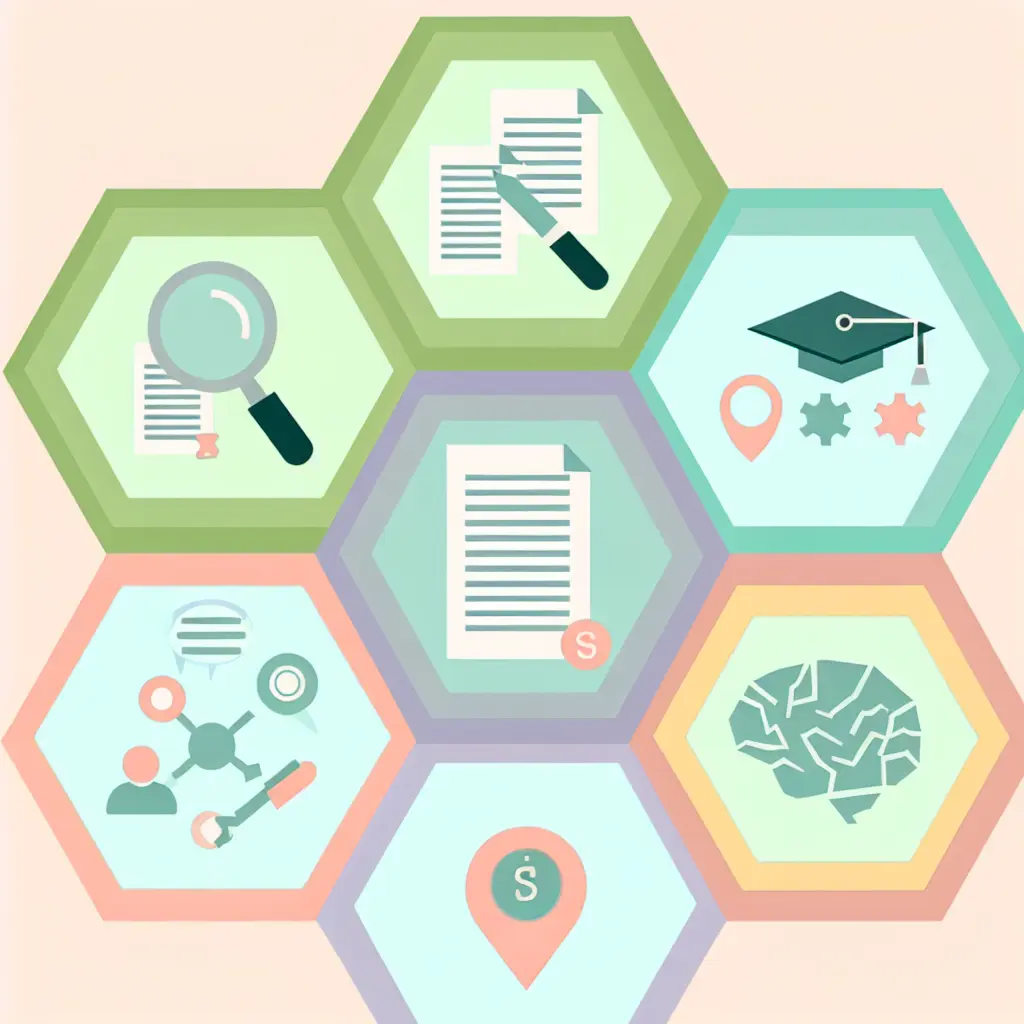
Think of your thesis toolkit like a professional kitchen: you wouldn’t try to cook a gourmet meal with just a butter knife and a microwave. Here are the six essential categories that form a complete thesis writing workflow:
- Research & note-taking tools – Your digital filing system for organizing literature, extracting key quotes, and tracking thematic connections across dozens of sources
- Writing & drafting platforms – Long-form document editors designed for 100+ page manuscripts with proper version control (because “Thesis_Final_FINAL_v3_ACTUAL_FINAL.docx” is not a version control strategy)
- Citation & reference managers – Automated bibliography generators that handle UK citation styles without you manually typing “et al.” 200 times
- Editing & proofreading software – Grammar checkers, style analyzers, and readability tools that catch the errors you’re too exhausted to spot after your fifth read-through
- Collaboration & feedback tools – Platforms that keep supervisor comments, draft versions, and revision requests in one place instead of scattered across email, Dropbox, and sticky notes
- AI-powered assistants – The 2025 game-changers: tools that can summarize research papers, suggest structural improvements, and help you overcome blank-page paralysis
Most successful thesis writers don’t use just one mega-tool—they build an integrated ecosystem where each specialized tool handles what it does best, and the tools actually talk to each other. The goal isn’t to download every app imaginable; it’s to assemble a lean, powerful stack that eliminates friction from your workflow.
How Thesis Writing Tools Evolved in 2024–2025
If you wrote a dissertation in 2020, the landscape was unrecognizable compared to today. Back then, AI meant “that weird autocomplete in Google Docs.” By 2023, ChatGPT had arrived and everyone was nervously whispering about whether using it constituted academic misconduct. Now in 2025? AI tools have become as standard as spell-check—and universities have (mostly) figured out how to integrate them ethically.

The breakthrough happened in late 2024 when specialized academic AI tools matured beyond general-purpose chatbots. Platforms like Elicit, Consensus, and Scite.ai emerged specifically for literature reviews, capable of answering research questions by synthesizing findings across thousands of peer-reviewed papers in seconds. Instead of spending a weekend reading 30 abstracts to find three relevant studies, you ask a targeted question and receive summarized evidence with proper citations.
According to Jisc’s 2024 survey of UK postgraduates, an impressive 67% now use AI for at least one stage of thesis writing—most commonly for literature searching, idea generation, and rephrasing awkward sentences. Importantly, that same survey found that students using AI responsibly (as research assistants, not ghostwriters) reported higher satisfaction with their final thesis quality and lower stress levels.
Want to dive deeper into how to actually use these tools without crossing ethical lines? Check out our comprehensive guide: Best AI Tools for Thesis Research and Writing 2025, where we break down specific prompts, workflows, and university policy interpretations.
The ethical framework is clearer now: Most UK universities allow AI for drafting and ideation if disclosed and not copy-pasted verbatim. Think of it like hiring a research assistant who’s brilliant at finding connections but terrible at original thought—you direct the work, you verify the output, and you write the final prose in your own voice.
Remember when “working on your thesis” meant being chained to your desk with EndNote desktop and a single Word document living on your hard drive? Those days are mercifully over. The shift to cloud-based, mobile-first workflows has been the second major transformation of 2024–2025, and it’s particularly liberating for UK students juggling part-time work, caring responsibilities, or brutal London commutes.
Modern thesis writing happens everywhere: You might draft an introduction paragraph on your phone during the Tube ride from Camden to King’s Cross, annotate a PDF on your tablet in the British Library, and then finalize formatting on your laptop at home. Tools like Notion, Zotero’s web version, and Google Docs make this seamless—your work syncs automatically across devices, there’s no “forgot to save” panic, and you can share live links with your supervisor instead of emailing version after version.
The practical impact? One Imperial College student I spoke with described it as “thesis writing in the gaps”—capturing ideas during her hospital shifts (she’s a medical student), organizing references on her iPad during lunch breaks, and only sitting down for focused writing sessions when she had genuine thinking time. That’s the opposite of the old model where you needed four-hour blocks just to get anything done.
Automatic cloud backups also eliminate the legendary horror story of losing months of work to a crashed hard drive. With OneDrive, Google Drive, or Dropbox auto-sync, your thesis essentially becomes indestructible. 2025 expectation: If your thesis workflow isn’t mobile-accessible, you’re working twice as hard as you need to.
Here’s a secret that could save you £500+ this year: Your UK university probably licenses premium software that you can access completely free. Most students never discover this because IT services don’t exactly shout about it during induction week.
The standard free stack for UK master’s students in 2025 typically includes: Microsoft 365 (Word, Excel, PowerPoint, OneDrive with 1TB storage), EndNote or RefWorks (professional reference managers), Grammarly for Education (premium plagiarism checking and writing feedback), Overleaf Pro (for STEM students writing in LaTeX), NVivo (for qualitative data analysis), and often institutional subscriptions to academic databases that cost hundreds monthly.
Russell Group universities and many post-92 institutions have significantly expanded these offerings since 2023, partly in response to student cost-of-living pressures. The University of Edinburgh, for instance, now provides free access to the entire Adobe Creative Cloud (handy for thesis graphics and presentations), while UCL and Imperial have campus-wide Overleaf licenses.
To find your institution’s complete software library, search “[Your University Name] + free software students” or check your IT services portal. The time investment pays off immediately—you’ll discover tools you didn’t know existed but desperately need.
For an exhaustive breakdown of what’s available and how to access it, we’ve compiled: Free Academic Writing Software for UK Universities in 2025. It’s basically a treasure map to hidden institutional resources.
The Best Thesis Writing Tools for UK Master’s Students in 2025
Research & Literature Management Tools
Notion / Obsidian / Roam Research
These “second brain” tools have revolutionized how students organize research notes, and they’re particularly brilliant for the messy, nonlinear process of literature review writing. Unlike traditional note-taking where your insights live in isolated documents, these platforms let you create bidirectional links between concepts, authors, and themes.
Imagine you’re researching educational technology adoption in UK secondary schools. In Notion, you create a database page for each paper you read, tagging by methodology (quantitative/qualitative), key finding, and relevance to your research questions. You then create linked pages for themes like “teacher resistance to technology” that automatically pull quotes from every paper tagged with that theme. When you’re ready to write, your literature review practically writes itself because you’ve already done the synthesis work.
UK fit: Set up custom properties to track which supervisor (if you have multiple), which methodology chapter section, or which assessment rubric criterion each source addresses. The flexibility is unmatched—you’re not locked into someone else’s organizational structure.
Pro tip: Download a pre-made literature review matrix template for Notion. Add columns for author, year, research question, methodology, key findings, limitations, and direct quotes you’ll cite. This transforms chaotic reading into structured evidence gathering.
Zotero / EndNote / Mendeley
Now we’re talking about the heavy artillery—professional reference managers that store PDFs, extract metadata automatically, and generate perfectly formatted bibliographies in any UK citation style (Harvard, APA 7, OSCOLA for law students, MHRA for humanities). These tools are non-negotiable if you’re managing 40+ sources.
The choice between them largely comes down to your field and preferences. Zotero is free, open-source, and beloved by social sciences and humanities students. Its browser plugin is genuinely magical—one click on a journal article page, and the PDF downloads with full citation metadata. EndNote is typically free through UK universities and handles massive libraries (10,000+ references) without breaking a sweat, making it ideal for STEM doctoral students. Mendeley offers a social element where you can see what other researchers in your field are reading.
For a detailed head-to-head comparison with workflows, pros/cons, and field-specific recommendations, check out: Reference Manager Comparison for Thesis Students (2025).
UK consideration: Verify that your chosen tool includes your university’s specific Harvard variant—there are actually multiple versions, and submitting with the wrong one creates unnecessary work.
Writing & Drafting Platforms
Microsoft Word (via Office 365)
Yes, Word is “boring” and everyone jokes about it, but there’s a reason it remains the undisputed king of thesis writing in UK universities: universal compatibility. Every supervisor knows how to use Track Changes. Every submission portal accepts .docx files. Every external examiner can comment on your viva corrections in a format they recognize.
The 2025 version (which you get free via your university email) includes Microsoft Editor—basically built-in Grammarly with grammar checking, conciseness suggestions, and inclusive language recommendations. The Styles function is your secret weapon: set up Heading 1, Heading 2, Body Text styles once, and your entire thesis maintains consistent formatting automatically. Need to change all your headings from 14pt to 16pt? One click updates 80 instances instead of manual reformatting.
Workflow hack: Use Word’s Navigation Pane (View menu) to see your entire thesis structure at a glance and drag-drop sections to reorganize. It’s like having a 20,000-word outline that actually reflects your content.
Overleaf (LaTeX)
If you’re in STEM—particularly mathematics, physics, computer science, or engineering—LaTeX via Overleaf is not just recommended, it’s practically expected. LaTeX excels at typesetting complex equations, multi-page tables, and precise figure positioning. Plus, it produces absolutely gorgeous PDF output that makes your thesis look professionally published.
Major UK universities including Imperial, UCL, Edinburgh, and Manchester provide free Overleaf Professional accounts to students (worth £89/year). The real-time collaboration feature means your supervisor can see your LaTeX code and rendered output simultaneously, making feedback cycles dramatically faster.
The learning curve is steeper than Word—you’re essentially coding your document—but there are hundreds of thesis templates specifically designed for UK universities. Download your institution’s template, fill in your content, and LaTeX handles all the formatting nightmares automatically.
Google Docs
Google Docs shines for real-time collaboration: your supervisor can literally watch you type and offer instant clarification on confusing points. For UK students with supervisors who travel for conferences or work remotely, this is invaluable. The version history is also bulletproof—you can restore any past version with timestamps, which has saved countless students from disastrous accidental deletions.
Limitations: Google Docs starts struggling with documents over 100 pages, especially if you have many images or complex tables. The formatting controls are also less precise than Word, which matters when your university specifies exact margin widths and line spacing.
Recommended workflow: Draft chapters in Google Docs for easy collaboration, then export to Word for final formatting and submission preparation.
Scrivener
Scrivener is the tool professional novelists use, adapted beautifully for academic long-form writing. Instead of one monolithic document, you write in small chunks (scenes in novels, sections in theses) that you can shuffle around freely. The corkboard view lets you see your entire thesis as index cards you can reorganize, which is brilliant when you realize Chapter 4 should actually come before Chapter 3.
UK students who think visually and structurally love Scrivener because you can keep your research notes, supervisor feedback, and draft text all in one project file. When you’re ready to submit, Scrivener compiles everything into a formatted Word document with automatic table of contents.
Cost note: £49 one-time purchase (often £39 with student discount), which pays for itself if you’re also planning future academic or professional writing projects.
Citation & Reference Management (Deep Dive)
Zotero + Better BibTeX
Zotero deserves a deeper look because it’s free, open-source, and genuinely beloved by UK postgraduates across disciplines. The core magic is the browser extension: browsing JSTOR, PubMed, or Google Scholar, you click the Zotero icon, and it saves the full citation metadata plus the PDF (if available) to your library automatically.
The Better BibTeX plugin adds LaTeX integration for Overleaf users and automatic citation key generation. For Word users, the Word plugin lets you insert citations mid-sentence, and Zotero automatically builds your bibliography at the document end, updated in real-time as you add sources.
Zotero handles 300+ citation styles including every UK university variant—Harvard (author-date), Harvard (numeric), Oxford Standard for Citation of Legal Authorities (OSCOLA), Modern Humanities Research Association (MHRA), and all the major international styles. If your university uses an obscure custom style, the Zotero forums have users who’ve probably already created it.
Storage note: Free tier includes 300MB cloud storage; unlimited local storage. Most students supplement with university Google Drive or OneDrive for PDF storage.
EndNote 21
EndNote is the enterprise-grade reference manager, and most UK universities (especially Russell Group institutions) provide free licenses. It’s built for researchers managing enormous libraries—10,000+ references—with advanced features like systematic review support and integrated PDF annotation.
The Cite While You Write feature integrates directly into Microsoft Word, placing a toolbar that lets you search your library and insert formatted citations without leaving your document. EndNote automatically handles subsequent citations (using “ibid” or “et al.” according to your chosen style), which saves ridiculous amounts of manual work.
Key strength: If you’re citing heavily from databases EndNote supports (like Web of Science or PubMed), it can import thousands of references in batch with perfect metadata.
EndNote Online provides cloud sync, but the desktop version (EndNote 21) is significantly more powerful for serious thesis work.
Mendeley
Owned by Elsevier, Mendeley combines reference management with social academic networking. The free tier includes 2GB cloud storage and apps for desktop, web, and mobile, making it properly cross-platform.
The standout feature is discovery: Mendeley suggests papers based on what’s in your library and shows you what other researchers in your field are reading. For UK master’s students still exploring their topic, this serendipitous discovery can uncover crucial sources you’d have missed in traditional database searches.
Elsevier integration: If you’re citing lots of ScienceDirect journals (common in sciences), Mendeley’s import is seamless since Elsevier owns both.
Caveat: Some researchers are uncomfortable with Elsevier’s corporate ownership and data practices; Zotero offers similar features with full data control.
Editing, Proofreading & Grammar Tools
Grammarly (Education Premium)
If your university provides Grammarly for Education (many UK institutions now do—check with IT services), you’re sitting on £144/year worth of premium features at zero cost. Grammarly catches obvious errors like typos and comma splices, but the real value for thesis writers is the advanced feedback: passive voice overuse, unclear antecedents, wordiness, and hedging language that weakens your arguments.
The plagiarism detection feature is essentially a mini-Turnitin, scanning billions of web pages and academic databases. Running your draft through Grammarly’s plagiarism checker before official submission can catch accidental insufficient paraphrasing or citation errors.
The tone detector is particularly useful for academic writing—it flags when your language drifts too casual or too vague, helping maintain that authoritative-but-accessible scholarly voice UK examiners expect.
ProWritingAid
ProWritingAid is Grammarly’s more budget-conscious competitor with one killer advantage: a lifetime license costs £299 (vs Grammarly’s £12/month subscription that adds up fast). For a tool you’ll use throughout your academic and professional career, the math favors ProWritingAid.
The in-depth style reports go beyond grammar into structural analysis: sentence length variation, repeated words, readability scores (Flesch-Kincaid), dialogue tags (less relevant for theses), and transition usage. The academic writing template specifically targets common thesis writing issues like excessive nominalization and complex sentence structures that confuse readers.
UK English support: ProWritingAid natively handles British spelling and phrasing, including recognising versus recognizing, behaviour versus behavior, and thousands of other UK/US variants.
Hemingway Editor
Hemingway Editor is delightfully simple: it highlights complex sentences, passive voice, adverbs, and hard-to-read phrases with color-coding. The free web version works perfectly fine, though the £19.99 desktop app adds offline access and direct Word integration.
The tool is named after Ernest Hemingway’s famously sparse writing style, and while academic writing needs more nuance than Hemingway’s terse prose, the editor excels at identifying when you’ve written a 60-word sentence that should really be three separate thoughts.
Use case: After drafting a section, paste it into Hemingway. Anything marked “very hard to read” needs simplification—not because you’re dumbing down your ideas, but because clarity serves your examiners better than baroque complexity.
LanguageTool
LanguageTool is the open-source Grammarly alternative with particularly strong British English support. The free tier checks 20,000 characters per check (roughly 3,000 words); premium is £59/year, significantly cheaper than Grammarly.
For privacy-conscious students handling sensitive research data (medical records, interview transcripts under GDPR restrictions), LanguageTool offers a self-hosted option where your text never leaves your computer. That’s rare among grammar checkers and valuable for thesis work involving confidential data.
Collaboration & Supervisor Feedback Tools
Microsoft Word Track Changes + Comments
This is the industry standard in UK academia, and for good reason: it’s universally understood, built into software every supervisor already uses, and creates a clear audit trail of who changed what and when. Track Changes shows insertions, deletions, and moved text in colored markup, while Comments let supervisors explain their edits or ask clarifying questions.
Workflow best practice: Share drafts via OneDrive link (set to “Can edit”) rather than email attachments. This ensures everyone works on the same version, eliminating the nightmare of merging conflicting edits from multiple downloaded copies.
When you receive feedback, systematically Accept or Reject each change while reading the comments. Don’t just Accept All—that’s how you accidentally agree to deletions that remove crucial evidence.
Google Docs Suggesting Mode
Google Docs’ Suggesting mode replicates Track Changes with some enhanced features: real-time presence (you can see your supervisor’s cursor moving and typing live), instant notifications when comments are resolved, and threaded comment conversations that work more like Slack than isolated annotations.
The version history is more granular than Word’s—it auto-saves every few seconds and lets you name significant versions (“Draft submitted to supervisor” or “Post-viva corrections”) for easy retrieval.
Drawback: Some older academics find Google Docs less familiar than Word, potentially slowing feedback cycles if your supervisor struggles with the interface.
Tesify.io
Here’s where we talk about the elephant in the room: traditional thesis collaboration tools weren’t designed for thesis collaboration. Word and Google Docs are general document editors; email is a chaotic mess for tracking feedback threads; Dropbox is just a file dump. That’s why students end up with folders named “Thesis Drafts” containing 37 files with incomprehensible names and no clear sense of which is current.
Tesify.io solves this with purpose-built thesis collaboration infrastructure. It’s a platform designed from the ground up for UK master’s students and their supervisors, handling the entire lifecycle from first outline to final submission.
What makes Tesify different:
- Structured feedback loops: Instead of scattered email threads, supervisors leave chapter-specific feedback that lives with that chapter permanently. When you’re revising your methodology three months later, you can instantly see what your supervisor said about it without archaeological email excavation.
- Milestone tracking: Set deadlines for literature review completion, data collection, draft chapters, and final submission. Tesify sends reminders and shows progress dashboards so you’re never wondering “Where am I supposed to be?”
- Automatic version control: Every save creates a timestamped version you can restore. No more “Thesis_Final_v8_REALLY_FINAL_supervisor_comments_integrated.docx”—just clean version history with labels.
- Integrated reference checking: Tesify flags missing citations, inconsistent reference formatting, and bibliography errors before submission, catching issues that would otherwise cost you marks.
- Supervisor perspective: From the faculty side, Tesify provides a single dashboard showing all supervisees’ progress, overdue sections, and pending feedback requests. This makes supervisors more responsive because everything’s organized instead of buried in inbox chaos.
UK compatibility: Tesify works seamlessly with Word, Google Docs, and all major reference managers. Import your existing draft, continue writing in your preferred editor, and let Tesify handle the organizational chaos. It’s not replacing your writing tools—it’s the control center that makes them all work together.
The fundamental insight: your thesis needs a project manager, not just more text editors. Tesify is that project manager.
AI Writing & Research Assistants (2025 Essentials)
ChatGPT-4 / Claude 3 Opus
General-purpose AI chatbots have matured dramatically since ChatGPT’s chaotic 2023 debut. Today’s models—GPT-4 and Claude 3 Opus in particular—handle nuanced academic tasks with surprising competence when used thoughtfully.
Legitimate use cases for UK thesis writing:
- Brainstorming thesis titles: “Generate 10 potential thesis titles exploring the relationship between social media use and academic performance in UK secondary schools”
- Outlining chapters: “Create a detailed outline for a literature review chapter on climate change adaptation strategies in UK coastal communities”
- Summarizing dense papers: Paste an abstract and ask “Explain this paper’s methodology and key findings in simple terms”
- Rephrasing awkward sentences: “Rewrite this sentence more concisely while maintaining academic tone: [paste sentence]”
- Identifying gaps: “Based on these five studies, what research questions remain unanswered?”
Ethical boundaries (absolutely critical): Never copy-paste AI output verbatim into your thesis. That’s plagiarism and easily detected by Turnitin’s AI writing detector. Instead, use AI as a thinking partner—generate ideas, then write your own prose that reflects your genuine understanding. The voice must remain yours.
UK universities’ stance in 2025: Most institutions now permit AI use for research and drafting if properly disclosed in your methodology or acknowledgements section. The key is transparency: explain how you used AI tools, what you asked them to do, and how you validated their outputs. What remains forbidden is submitting AI-generated text as your own original work without substantial transformation and critical engagement.
The transformation from 47 chaotic browser tabs to a streamlined, confident thesis workflow doesn’t happen by accident—it happens through deliberate tool selection and honest assessment of where you’re hemorrhaging time. Every hour you invest in setting up proper reference management, cloud collaboration, and AI-assisted research returns tenfold during the final push to submission.
Your thesis success in 2025 isn’t about working harder; it’s about working smarter with tools that respect both your intellectual capacity and your very real time constraints. The right toolkit doesn’t just save hours—it preserves your enthusiasm, protects your mental health, and ensures that when you finally submit, you’re proud of what you’ve created rather than simply relieved it’s over.
Start with one category—perhaps reference management if you’re drowning in PDFs, or collaboration tools if supervisor feedback feels chaotic—and build from there. Remember: these tools exist to serve your thinking, not replace it. You’re still the researcher, the writer, the scholar. These are just the instruments that amplify your capabilities.
Your master’s thesis is your opportunity to contribute something meaningful to your field. Don’t let administrative chaos steal that opportunity. Choose your tools wisely, use them confidently, and write the thesis you came here to write.


Leave a Reply